
IPTV on Roku
Running IPTV on Roku needs no technical background. Here we explain, in order, how to install the app and add your subscription details, so within minutes you reach 25,000+ channels in 4K UHD / FHD / HD, with quick fixes at the end if the picture freezes.
- Installation explained from scratch
- Apps we trust
- Answers to the usual hiccups
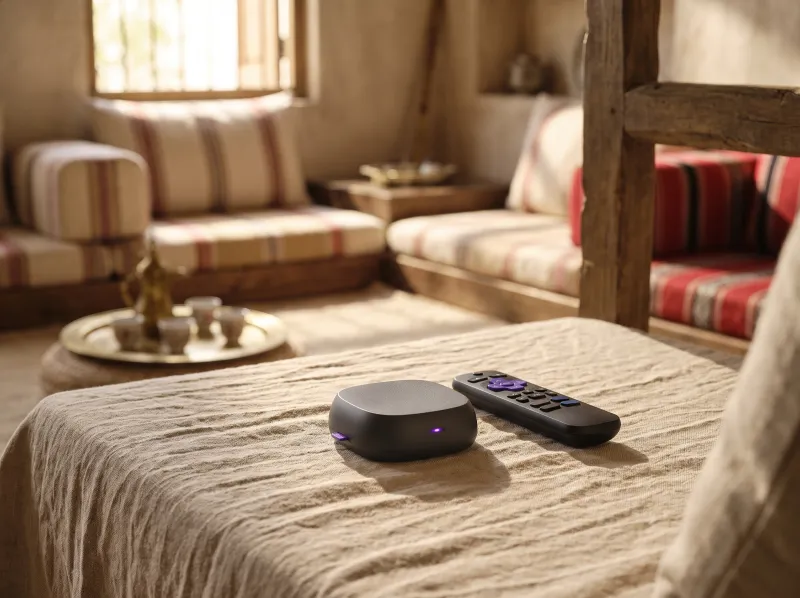
Getting started takes three steps
- 1
Choose your plan
Open the pricing page and pick the length that suits you (Roku).
- 2
Watch for our message
Once payment clears, we send your M3U link or Xtream Codes login by WhatsApp or email without delay.
- 3
Sit back and watch
Copy the details into your usual app and settle in with the family; everything loads moments later.
What you get with your plan
Crisp 4K and FHD
Up-to-date encoding keeps detail sharp without draining your data.
No waiting between channels
Servers close to Gulf cities mean no loading wheel as you flick across.
Help in your language
WhatsApp or email, day or night; a person replies in Arabic, step by step.
Works on screens at home
Samsung and LG TVs, Firestick, Apple TV, MAG, iPhone and Android.
Film night, any night
Thousands of films and series a press away, growing weekly, mostly Arabic-subtitled.
Pay as you prefer
E-wallet, bank transfer or card, with an itemised receipt each time.
Apps that run smoothly on this device
By country
Questions we hear every day, answered
How do I get IPTV running on Roku?
Can Roku show 4K channels?
What if the picture freezes for a few seconds?
Can the family watch on two screens together?
Everything to know about IPTV on Roku
Let us start with the basics before any talk of offers for IPTV on Roku. An IPTV rests on a simple idea: what once came through a dish and a receiver now comes through fibre or the mobile network, like any clip you watch online, except that it keeps full television quality and carries a guide to what is on every channel.
The line into your home in the Gulf will not be the problem; the fibre and 5G sold by STC, Mobily, Zain, GO run far faster than a 4K stream asks for. Three things about the IPTV deserve your questions instead: do the servers hold up when everyone watches at once, are dead channels replaced promptly, and will the player suit your device?
Majlis TV carries over 25,000+ live channels and around 100,000+ films and series, runs at 99.9% uptime and keeps an Arabic-speaking team answering day and night. We quote the numbers for a reason: they separate an evening where the match runs to penalties from one where the stream stalls while the room waits.
In the sections that follow we walk you through IPTV on Roku step by step: what the subscription contains, getting it running in minutes, the devices and players we have tested, the cost in your currency, fixes for the usual faults, and the questions newcomers ask before signing up.
What leads households to choose IPTV on Roku
Visitors often ask, before subscribing, what sets IPTV on Roku apart from a dish or a single streaming app. Six practical reasons, noticed daily by subscribers in the Gulf, answer that.
No appointment needed to get started
Your login goes to WhatsApp or your inbox the moment payment clears; nobody visits and nothing needs installing.
The region's channels come first
When we put together packages for IPTV on Roku, local and Gulf channels lead, followed by Arabic, then foreign; the order is deliberate, because it is what the household looks for first.
A short hop to the server
The nearer the server, the lower the latency, which is why an IPTV opens channels quickly and does not wobble during the evening rush.
Films and series at no extra charge
A library of more than 100,000+ titles, most with Arabic subtitles, comes inside the IPTV itself and grows week by week.
The best resolution the source offers
When the original channel broadcasts in 4K, the match or film reaches you that way, with modern compression that holds the detail and goes easy on your data.
A team that understands the question first time
Arabic-speaking support around the clock for anyone on the IPTV, with hands-on knowledge of the televisions, boxes and apps found in Gulf homes.
Put simply, an IPTV gathers into one subscription what used to be spread across several bills, leaves the choice of screen to you, and tells you the full price before you pay.
What goes into IPTV on Roku, in detail
A big figure on an offer page says little about IPTV on Roku; what matters is what the subscription really includes. Here is what our IPTV contains:
The programme guide (EPG) with IPTV
A schedule for every channel on your local clock, with alerts before a show starts and quick jumps between time slots.
Live channels with IPTV
Over 25,000+ channels in clear packs: sport, films, series, children, news and documentaries, alongside Gulf, Arabic and foreign line-ups.
Catching up on what you missed with IPTV
On channels with catch-up, go back several days and start a programme from the top.
Films and series on demand with IPTV
More than 100,000+ titles with cover art, a synopsis and Arabic subtitles, and new additions every week.
Several screens at once with IPTV
Depending on the plan, an IPTV can stream to more than one device together: the guest-room screen, the bedroom TV and a teenager's phone.
Recording for later with IPTV
Some players, TiviMate above all, record to the device so you can watch later, even offline.
Load spread across servers with IPTV
If one server fills up, the channel moves to another automatically, so the picture holds at the decisive moment.
Ongoing upkeep and help with IPTV
Channels and titles added to the IPTV continually, broken links removed, and quick help over WhatsApp and email.
Getting IPTV on Roku running in five steps
You need no technician and no home visit to get IPTV on Roku running. These are the exact steps our support team sends to everyone new to the IPTV:
1. Pick a term and complete payment
Select the plan on the pricing page and your login is sent straight away by WhatsApp or email.
2. Get IPTV Smarters Pro or TiviMate on Roku
Download it from the official store on Roku; the app is usually free, and the channels and library come from your IPTV.
3. Enter your account details
Choose Xtream Codes and type the username, password and server URL exactly as received, or paste the M3U link.
4. Wait while the lists and EPG load
The first load needs roughly a minute; then switch on EPG download in the settings.
5. Sharpen the picture
Turn on hardware decoding, keep the buffer small, and use a network cable where you can.
Practical notes on IPTV on Roku
Roku uses Roku OS as its operating system, and that decides how a player gets installed: through the official store alone, because the system is locked down and will not install APK files. Choose a player that combines Xtream Codes support with hardware acceleration; that is what brings out the best in the device. Roku is common in Gulf living rooms and guest rooms because it moves between channels quickly and plays 4K smoothly.
From our team's experience: if there is a network port or an adapter, wire Roku up with an Ethernet cable, then switch the picture mode from dynamic to cinema; those two steps improve the IPTV more than any other setting.
Prices and plans for IPTV on Roku
| Plan | Total price (SAR) | Per month |
|---|---|---|
| 1 Month Plan | 45 SAR | 45 SAR |
| 3 Months Plan | 93.8 SAR | 31.2 SAR |
| 6 Months Plan | 150 SAR | 25 SAR |
| 12 Months Plan | 244 SAR | 20.3 SAR |
Prices are shown in the currency of Saudi Arabia, and no channel or title is held back from any IPTV plan; the plans differ only in length and in the size of the discount. The longer you commit, the less each month costs, which is why most subscribers settle on six months or a full year.
What you see is what you pay for IPTV on Roku: no installation fee, no device you are made to buy, and no renewal taken from your account without your knowledge. We remind you before the term ends, and then the decision is yours.
Our advice if the IPTV is new to you: start with the free trial, then buy a single month. If you already know what you want, the yearly plan gives a clear saving.
The viewing packs in IPTV on Roku
We split the channels in an IPTV into packs so you reach what you want in seconds. These are the main ones:
Sports Channels
Domestic, continental and global competitions in a single guide, with 4K channels set aside for the biggest fixtures.
Movies & VOD
Film channels that never stop, plus an on-demand library of recent releases with Arabic subtitles.
TV Series
Arabic, Turkish and foreign series with every episode, and new seasons added each week.
Kids Channels
Cartoons and safe learning programmes that can sit in their own group, protected by the player's parental controls.
News Channels
Live Gulf, Arab and international news, with catch-up for the main bulletins.
Documentaries
Nature, science and history in high definition, the kind of viewing where a 4K screen really proves its worth.
Arabic Channels
Every Gulf, Egyptian, Levantine and North African channel, arranged by country.
International Channels
Packs in English, Hindi, Urdu, Filipino, Turkish and other languages for residents.
The IPTV on the rest of your devices
An IPTV does not belong to one device; the same login opens on everything listed here, and each has an installation guide of its own:
Amazon Firestick
The cheapest way to give an older screen smart-TV abilities. Put IPTV Smarters or TiviMate on it from the store or with the Downloader app, and add an Ethernet adapter if you want buffering gone for good.
Samsung Smart TV
Tizen will not install anything from outside its own store, so you rely on an official player: IBO, Bob or Duplex activated by MAC, or Smart IPTV once the link is uploaded. Right for a home that makes do with one lounge screen.
LG Smart TV
webOS carries much the same restrictions as Tizen, and the MAC players in the LG store are the answer. Set the picture mode to Cinema to see sports channels at their sharpest.
Android TV Box
The most flexible option: it accepts every player, allows APK installs and usually comes with an Ethernet port. If 4K is the goal, pick a box with 4GB of RAM or more.
Apple TV
A strong processor keeps navigation quick and buffering almost non-existent. IPTV Smarters and GSE are in the App Store, and the box handles 4K HDR and surround sound.
Windows PC
For the home office or a desk corner: IPTV Smarters for Windows, or VLC with an M3U link. Handy for recording and for keeping a match on a side screen while you get on with work.
Players we suggest for IPTV on Roku
Half the experience comes down to the player. Gulf subscribers use the ones below with the IPTV daily, and each has a page on activating it:
IPTV Smarters Pro
The most widespread app in the Gulf: an Arabic interface, Xtream sign-in, and support for the library and EPG on most devices.
TiviMate
First choice on Android TV and Firestick: recording, catch-up, picture-in-picture and a very quick EPG.
XCIPTV Player
A lightweight app for Android, iOS and Windows that suits older devices with little memory.
IBO Player / IBO Pro
A long-standing name on Samsung and LG televisions using MAC activation, with an easy interface and regular updates.
Bob Player
A well-known alternative to IBO that works the same way with a more modern interface, found in Smart-TV stores.
Duplex Play
A MAC player that stands out for solid EPG and favourites support, and it runs on Firestick as well.
How IPTV on Roku compares with satellite and streaming platforms
| Aspect | IPTV | Satellite TV | Streaming platforms |
|---|---|---|---|
| What you need to begin | Only an app | A dish, receiver and technician | Only an app |
| Number of live channels | Over 25,000+ | Varies by package and satellite | Very few |
| Films and series on demand | Over 100,000+ titles | Few | One platform's catalogue |
| Screens it runs on | Any internet-connected device | Only the receiver | Most devices |
| Matches | Included in the subscription | A separate sports package | Mostly absent |
| Rough monthly cost | Low | High | Moderate per app |
The table shows why so many Gulf households are switching to IPTV on Roku: one IPTV replaces two or three subscriptions. In fairness, satellite still suits places the internet does not reach, and streaming platforms keep their exclusive originals.
If you want matches, Arabic channels and a broad library under one roof, an IPTV is the cheapest and shortest route.
IPTV on Roku: resolution, speed and data use
| Resolution | Suggested speed (Mbps) | Data used, roughly (GB per hour) |
|---|---|---|
| SD | 5 | 0.7 |
| HD 720p | 10 | 1.5 |
| FHD 1080p | 15 | 3 |
| 4K UHD | 25 | 7 |
Picture quality in IPTV on Roku depends on three things: the resolution the source broadcasts in, the speed of your internet, and how well your device decodes. Sports channels and recent films come in 4K whenever the source offers it, and if the line weakens they drop to FHD on their own instead of freezing.
Set the table beside your broadband plan: a 100 Mbps fibre line can carry three 4K screens together, while on mobile data HD is the sensible choice to protect your allowance. The IPTV relies on H.264 and H.265 compression to cut consumption without giving up detail.
One last tip: switch the television to its cinema picture mode and turn off motion smoothing; many quality complaints come from the screen's own settings rather than the IPTV.
Quick fixes for common IPTV on Roku faults
Most of what reaches support about IPTV on Roku comes down to a few repeating situations, and you can sort them out yourself in minutes once you know where to look:
One channel shows a black screen
The channel may be under maintenance at its source; try its other version in HD or FHD, or ask support to renew its link.
Logged in, yet no channels
Check the server URL is typed in full without spaces, confirm your IPTV has not lapsed, then refresh the list from the player's settings.
Stuttering that starts in the evening
Test the speed on the device you watch from, use a cable instead of Wi-Fi, and turn on hardware decoding in the player. If it happens on every device and specifically at match time, send support the channel name and the time.
Sound with no picture, or picture with no sound
Switch decoding from hardware to software for that channel alone, or pick another audio track from the player's menu.
An expiry warning
First work out whether it is the IPTV that has ended or the app's own licence, which happens often with MAC players; your subscription's end date is shown on your account page.
An empty programme guide
Turn on EPG download in the player's settings and give it a minute; some apps need the guide link typed in by hand.
Faults particular to Roku
Pull the power plug and put it back, install the app's latest update, and empty its cached files; those three measures clear most freezes.
IPTV on Roku: safety and privacy
Peace of mind with IPTV on Roku takes a little care. Six simple habits protect your IPTV, your family and your data:
Look after your account details
Your Xtream details or MAC address are the subscription itself; do not post them in group chats, and ask support to change the password if you suspect they have leaked.
Pay by a safe method
Use a card or a well-known local wallet and keep the receipt; anyone asking for gift cards or a transfer to a personal account is a fraudster.
Keeping children safe
Give the children a profile in the player that shows only their channels, and turn on PIN-protected channel locks in TiviMate or Smarters.
VPN and privacy
The IPTV does not need a VPN to work; if you want one anyway, pick a nearby server and the WireGuard protocol so quality does not suffer.
Updates from the right source
Update the player only from its official store; modified builds circulating on other sites often carry spyware and adverts.
Keep an eye on connected devices
Check the number of connected devices on your account page now and then; an unfamiliar device usually means your details have reached someone else.
Who benefits most from IPTV on Roku
Who is IPTV on Roku best suited to? Looking across our subscribers, four groups get the most from it:
The house where everyone gathers
Adults at the lounge screen, children on a tablet that shows only their channels, the phone in the kitchen; a multi-connection IPTV covers them all on one subscription, with a parental lock inside the player.
Match followers
Leagues and tournaments from every continent in one guide with EPG alerts; IPTV on Roku shows the game in 4K on the big screen while you follow the key moments on your phone.
Residents from abroad
The channels of your home country sit beside the local channels of the Gulf, with no extra dish and no second subscription, which is why an IPTV comes first for many residents.
Diwaniyas and rest houses
A large screen showing the IPTV until nearly dawn in tournament season; wire the device with Ethernet and choose the yearly plan so renewal dates never interrupt the evening.
Your first steps after ordering IPTV on Roku
You ordered IPTV on Roku a moment ago; so what happens now? These are the stages most new subscribers pass through:
Minutes one to five
You pay, and your IPTV login lands on WhatsApp or in your inbox. Install the player and sign in.
Within half an hour
Channels and the EPG finish loading; arrange your favourite groups and choose the language and time zone.
Day one
Watch a sports channel in the evening and run a 4K film through the IPTV; if any stuttering appears, go back to the faults section on this page.
Week one
If your plan allows it, add a second device and get to know catch-up and recording.
As the term draws to a close
A reminder reaches you, and you renew the IPTV on the same login without reinstalling anything.
Before you buy IPTV on Roku: a quick checklist
- A free trial of the IPTV before paying, to test channels at peak hours.
- A speed of at least 15 Mbps measured on the viewing device itself, and 25 Mbps if you want 4K.
- A player that matches how you watch: MAC for the lounge screen alone, Xtream Codes for phones and several devices.
- A device the service supports: Smart TV, Firestick, Apple TV, Android box, phone or computer.
- A local payment method you trust, with a receipt for each order.
- Enough simultaneous connections for everyone at home.
- Written, clear refund terms before you pay for an IPTV.
- A support team that replies in Arabic on WhatsApp.
Frequently asked questions about IPTV on Roku
What exactly is IPTV on Roku?
What does IPTV on Roku cost?
Can I try it first?
Do I need special equipment?
Which player suits IPTV on Roku best?
How fast does my internet need to be?
Can it run on more than one device?
What should I do if the stream stutters?
Which payment methods are available?
Is the service legal?
IPTV on Roku at a glance
In brief: IPTV on Roku brings live 4K channels, a library of films and series, a programme guide and catch-up together in one subscription that works on any device in your home, at a price stated in advance and with no installation. Try it first through the free trial, then choose a term on the pricing page and install the player that fits your device. If you would like someone to guide you, our support team replies in Arabic at any hour.
Shall we set you up?
WhatsApp us and you are live within minutes, or take the trial first.